


Understand how cyberattacks lock and steal your data, the methods used, and practical steps to protect yourself from ransomware and similar threats.
Understanding Attacks That Lock and Steal Data
Cyberattacks that lock and ransack data are a growing threat in today’s digital world. These attacks target individuals, businesses, and government organizations, often with devastating consequences. The main goal is to block access to important files such as documents, financial records, or sensitive client information and demand payment for their release.
Such attacks have become more common in recent years. Attackers use different strategies to break into computer systems, encrypt data, and then demand a ransom. These incidents can cause serious disruptions and financial losses, especially for organizations that depend on constant access to their data. To learn more about how these attacks work and their definitions, review the detailed explanation of ransomware meaning and common attack methods.
The growing reliance on digital systems means that even small security gaps can be exploited. As more people work remotely and use cloud services, attackers have more opportunities to strike. According to a recent study, ransomware attacks increased by over 150% in the last year alone, affecting sectors from healthcare to education.
How Do Data-Locking Attacks Work?
Ransomware attacks start with the delivery of malicious software. Attackers may use phishing emails, infected websites, or unsecured networks to install malware on a victim’s device. Once inside, the malware encrypts files, making them impossible to access without a special key.
According to the Cybersecurity & Infrastructure Security Agency, these attacks often spread quickly across networks, affecting many computers at once. Attackers then demand payment, usually in cryptocurrency, to provide the decryption key. Read more about how ransomware spreads from official sources by visiting CISA.
The process is often automated. Once the malware is activated, it silently scans the computer or network for valuable files and encrypts them. In many cases, the victim is shown a ransom note with instructions on how to pay. The attackers may threaten to delete or leak sensitive data if their demands are not met, putting extra pressure on the victim.
Types of Attacks That Lock and Ransack Data
There are several types of data-locking attacks. The most common is crypto ransomware, which encrypts files and demands payment. Locker ransomware, on the other hand, locks users out of their devices entirely. Some attackers use double extortion tactics, threatening to publish stolen data if their demands are not met.
Recent reports from the Federal Bureau of Investigation show that attackers are targeting critical sectors like healthcare, education, and local governments; for more information, see the official guidance by FBI.
Some ransomware groups have become highly organized, running their attacks like a business. They may offer ‘ransomware-as-a-service’ to other criminals, making it easier for less-skilled attackers to launch their own campaigns. This has led to a surge in attacks and a growing need for better cyber defenses.
Common Entry Points for Attackers
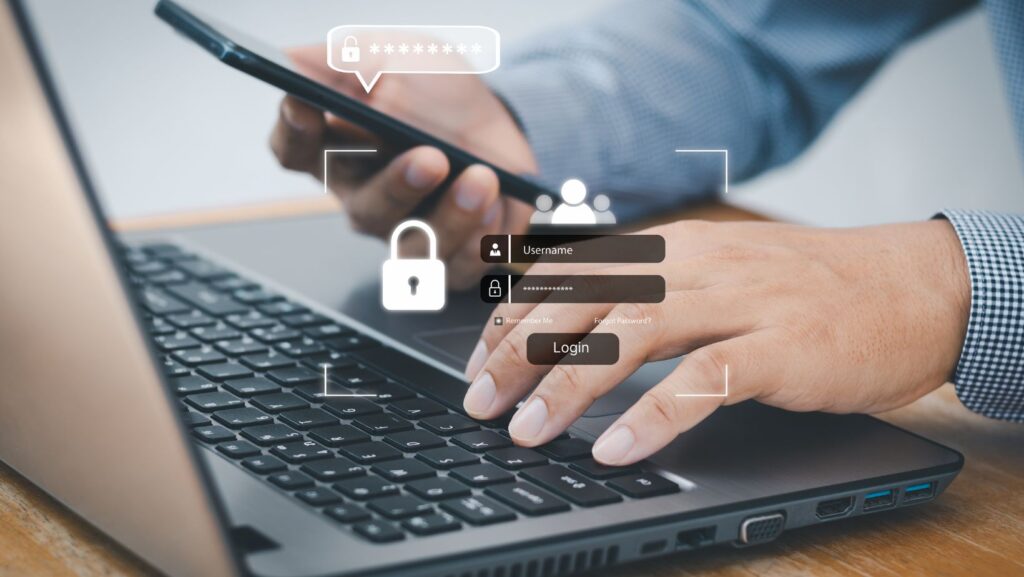
Attackers look for weak points in computer systems. Phishing emails are one of the most popular methods. These emails trick users into clicking malicious links or downloading harmful attachments. Unpatched software and poor password practices also make it easier for attackers to gain access.
Remote Desktop Protocol (RDP) vulnerabilities are another common entry point. If RDP is not secured, attackers can break in and deploy ransomware across an entire network.
Another frequent attack method is exploiting vulnerabilities in outdated software. Attackers scan the internet for computers that have not installed the latest security updates. Once they find a weakness, they use it to break into the system. Organizations with limited IT resources are often at higher risk.
Consequences of Data-Locking Attacks
The impact of these attacks can be severe. Victims may lose access to important files, face financial losses, and suffer damage to their reputation. Businesses can face downtime that disrupts operations for days or even weeks.
In some cases, even after paying the ransom, victims do not get their data back. Law enforcement and cybersecurity experts advise against paying, as it encourages future attacks and does not guarantee recovery.
For organizations, the cost of a ransomware attack can go far beyond the ransom itself. There are expenses related to system recovery, legal fees, and lost business. Some companies have faced lawsuits or regulatory fines after a data breach. The emotional impact on staff and customers is also significant, especially if sensitive information is exposed.
Preventing and Responding to Attacks
To reduce the risk of data-locking attacks, keep software up to date and use strong passwords. Enable two-factor authentication where possible. Regularly back up important data and store backups offline.
Educate employees about phishing scams and suspicious online behavior. In case of an attack, disconnect affected devices from the network and contact cybersecurity professionals for help. The National Institute of Standards and Technology provides detailed guidelines on responding to ransomware, published here.
Organizations should also create an incident response plan. This plan should outline steps to take if an attack occurs, such as how to notify authorities, communicate with staff, and restore data from backups. Practicing these steps regularly can help ensure a quick and effective response.
Trends and Future Risks
Cybercriminals are constantly changing their methods. Some now use artificial intelligence to create more convincing phishing emails or to find new vulnerabilities faster. Others focus on attacking supply chains, targeting vendors to gain access to larger organizations.
The rise of mobile ransomware is also a concern. As people use smartphones and tablets for work and personal tasks, attackers are developing malware that can lock or steal data from these devices. This means everyone, not just large companies, needs to stay alert.
Experts predict that attacks will continue to grow in number and complexity. Governments and private organizations are working together to share information and develop better defenses. However, staying safe requires ongoing effort from every individual and business.
Case Studies: Real-World Examples
In 2021, a major U.S. pipeline operator was forced to shut down operations after a ransomware attack, leading to fuel shortages across several states. The company paid millions in ransom, but the attack exposed serious weaknesses in critical infrastructure.
Schools and hospitals have also been frequent targets. In one case, a hospital was unable to access patient records for days, delaying treatments and surgeries. The attack caused widespread concern and highlighted the risks to public health and safety.
These examples show that no one is immune. Both large and small organizations can be targets, and the effects can ripple out to affect entire communities.
Conclusion
Attacks that lock and ransack data are a serious threat that can affect anyone. Understanding how these attacks work and taking preventive steps can help protect your information. Regular backups, employee training, and strong security practices are key to reducing the risk and impact of ransomware and similar cyber threats.
FAQ
What is ransomware?
Ransomware is a type of malware that encrypts files on a device, making them inaccessible. Attackers then demand a ransom payment to unlock the data.
How do attackers deliver ransomware?
Attackers often use phishing emails, malicious websites, or exploit software vulnerabilities to deliver ransomware to victims’ computers.
What should I do if my data is locked by ransomware?
Disconnect the affected device from the network, do not pay the ransom, and contact cybersecurity professionals for assistance.
Can I recover my data without paying the ransom?
If you have recent backups that are not connected to your network, you may be able to restore your data. Otherwise, recovery can be difficult.
How can I protect my organization from data-locking attacks?
Keep software updated, use strong passwords, enable two-factor authentication, educate staff about phishing, and back up data regularly.

